


From IntelliJ and Copilot to ChatGPT
Before I discovered Cursor, my main IDE was IntelliJ IDEA, which is known for its powerful features but also for being heavy and slow to start. I had tried using GitHub Copilot Chat when it was first integrated into IntelliJ, but at that time, the experience was not what I expected from an AI assistant. The early versions of Copilot Chat could only give me suggestions inside a chat window. It did not modify my source code directly. That means when the AI proposed changes, I had to copy the suggestions manually and apply them myself. This slowed down the workflow a lot.
Even though the newer versions of Copilot now allow automatic code modification, the performance inside IntelliJ still feels laggy and sometimes unresponsive. I found myself spending more time trying to manage the chat interface and copying each piece of code from the AI’s response than actually coding. It felt more like using a chatbot rather than working side by side with an intelligent coding partner.
Because of that, I developed my own workflow. I would open ChatGPT in a browser, copy the block of code that needed improvement, and paste it into ChatGPT. Then I would ask for suggestions, refactoring, or new logic. ChatGPT was very capable at generating improved versions of my code or creating new code from my descriptions. After that, I would copy the output and paste it back into IntelliJ. This approach worked fairly well, but it required a lot of back-and-forth switching between applications. Over time, it became clear that this manual process was wasting a significant amount of time.
My First Impression of Cursor
Last week, I decided to try Cursor, and the difference was immediately noticeable. The first thing that impressed me was how lightweight it felt. There was no long waiting period for indexing like what IntelliJ does every time it opens a project. Cursor launched quickly and let me start coding right away, which already gave it an advantage in terms of user experience.
However, what truly stood out was its integrated AI panel. This feature changed how I think about using AI in development. Cursor’s AI panel can automatically understand the structure of my codebase and the context of the file I am working on. I can also manually select which files I want it to consider as context. Once I ask the AI to improve a function, refactor a class, or add a new feature, it reads my code carefully, analyzes it, and modifies the code directly in the IDE. After making the changes, Cursor highlights them and allows me to review each one before deciding whether to keep or undo them.
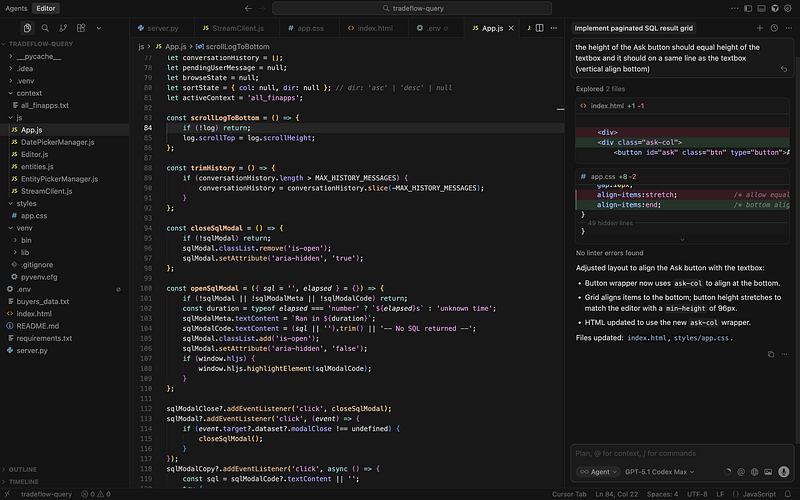
This is an entirely different experience compared to the copy-and-paste workflow with ChatGPT in a browser. I can simply stay inside the IDE, describe what I want, and let the AI perform the update automatically. The process feels natural and intuitive, like working with an assistant who already understands my code.
Cursor also lets users select from a variety of AI models. With the Pro plan, which costs $20 per month, I can use advanced models such as GPT-5.1-codex-max. This model performs extremely well in understanding and rewriting complex code. It produces accurate results and usually requires only minor adjustments. After using it for a few days, I realized that this tool could easily replace my old workflow.
About Subscription and Cost
Cursor offers a seven-day free trial period for new users. After that, you need to subscribe to the Pro version for $20 per month to continue using the most powerful AI features.

However, I also have a ChatGPT Plus subscription, which costs another $20 per month. This plan already gives me access to the latest and most capable OpenAI models, including GPT-5.1 and its coding-optimized variants. Since I also use ChatGPT for many other purposes such as research, writing, and general productivity, I did not want to cancel that subscription.
At first, this meant paying a total of $40 every month - $20 for ChatGPT Plus and $20 for Cursor Pro. That is not a small amount for tools that essentially use the same AI models underneath. It made me wonder if there was a way to connect my ChatGPT Plus account directly with Cursor.
Discovering the OpenAI Codex Extension
After some research, I found out that OpenAI had released an official Codex extension for Cursor. This extension integrates directly into the Cursor IDE and works in a way that is almost identical to the built-in AI panel. The main difference is that it connects to your existing ChatGPT Plus account. That means if you already pay for ChatGPT Plus, you can use the same subscription to access powerful models such as GPT-5.1-codex-max, GPT-5.1-codex, or GPT-5.1, without having to buy Cursor Pro.
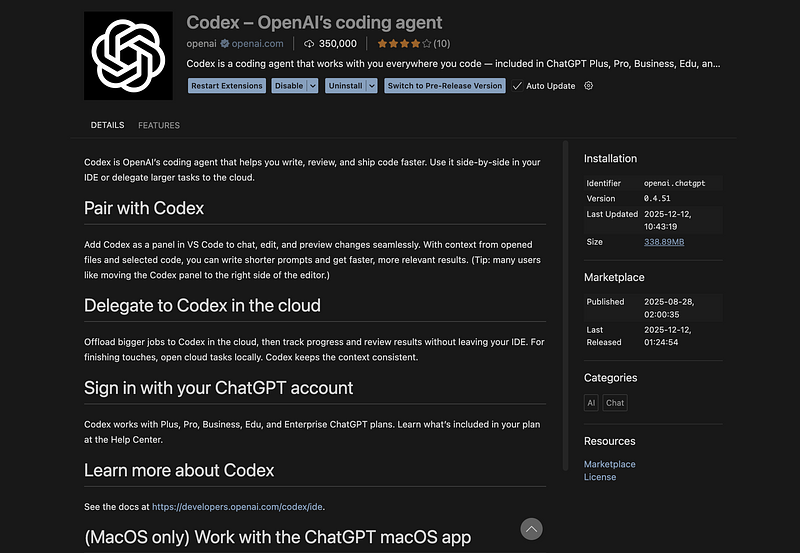
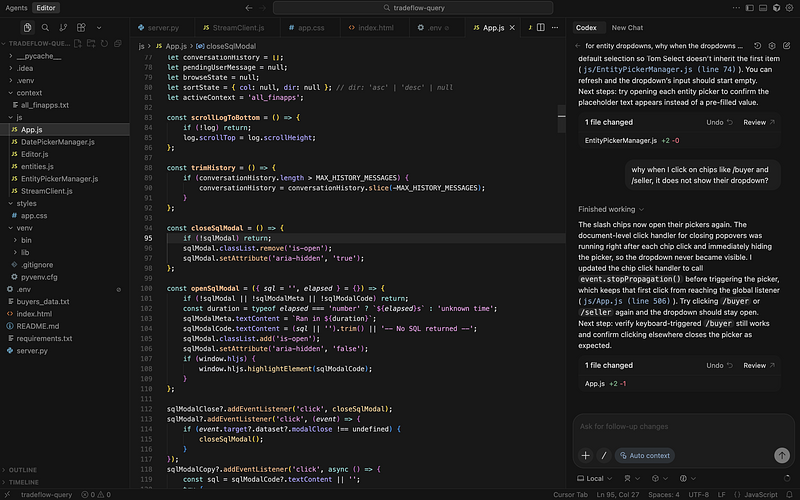
Once I installed the extension, I was surprised by how smooth and well-integrated it felt. I could ask it to improve a function, fix a bug, or implement new logic, and it would modify the source code directly in the editor. It also let me review and undo changes just like the Cursor AI panel. The performance and accuracy were even slightly better in my experience.
With this discovery, I realized that I no longer needed the paid Cursor plan. I could keep using Cursor as my main IDE and enjoy all its AI coding features through my existing ChatGPT Plus account. This saved me $20 every month while giving me an even better experience.
How AI Is Changing the Way We Code
Artificial intelligence has started to change software development in a very deep way. Before these AI tools became common, developing a new feature could take several weeks. We had to research the logic, write every line of code manually, debug it, and review it carefully. Today, with AI-assisted development tools like ChatGPT, Cursor, and Copilot, the entire process can take only a day or two.
These tools are not just about writing code faster. They help us think differently about programming. Instead of focusing on syntax or memorizing APIs, developers can focus on designing systems, understanding business logic, and defining clear goals for what the code should achieve. The AI can then translate those ideas into functional code.
In the short term, AI will continue to make developers more efficient. It will handle repetitive coding tasks, automatically generate boilerplate code, and detect errors early. Developers will be able to work at a higher level, concentrating on structure, architecture, and quality rather than typing speed.
In the long term, AI will gradually change the role of a software developer. Programming will become more like giving instructions or strategies to a very capable assistant rather than manually building everything from scratch. Developers will become problem solvers and designers who communicate ideas to machines in natural language.
To adapt to this transformation, every developer should learn how to write clear and structured prompts, because the ability to communicate precisely with an AI will become a core technical skill. At the same time, we must still understand the underlying code deeply enough to review, maintain, and secure it. AI can make mistakes, and our role will be to guide and supervise it.
Final Thoughts
Switching to Cursor, combined with the OpenAI Codex extension, has completely changed the way I code. I no longer need to jump between my IDE and ChatGPT in a browser. Everything happens inside a single environment where the AI can read, understand, and modify my code directly. The workflow feels seamless and natural, like working with a smart assistant who is always available.
AI will not replace developers anytime soon, but it is already reshaping how software is built. The developers who learn to use these tools effectively will not just code faster - they will think more clearly, design more efficiently, and deliver better software. The future of programming belongs to those who can collaborate with AI intelligently.